Cleanup Settings
Version 25.3.9469
Version 25.3.9469
Cleanup Settings
Arc automatically cleans up log files at regular intervals to maximize application performance. Use the Cleanup Settings section on the Advanced page to specify whether to Archive or Delete the log files, set the Interval at which to delete them, and specify the Archive Type and location for archived files. You can also manual start a cleanup task from this page.
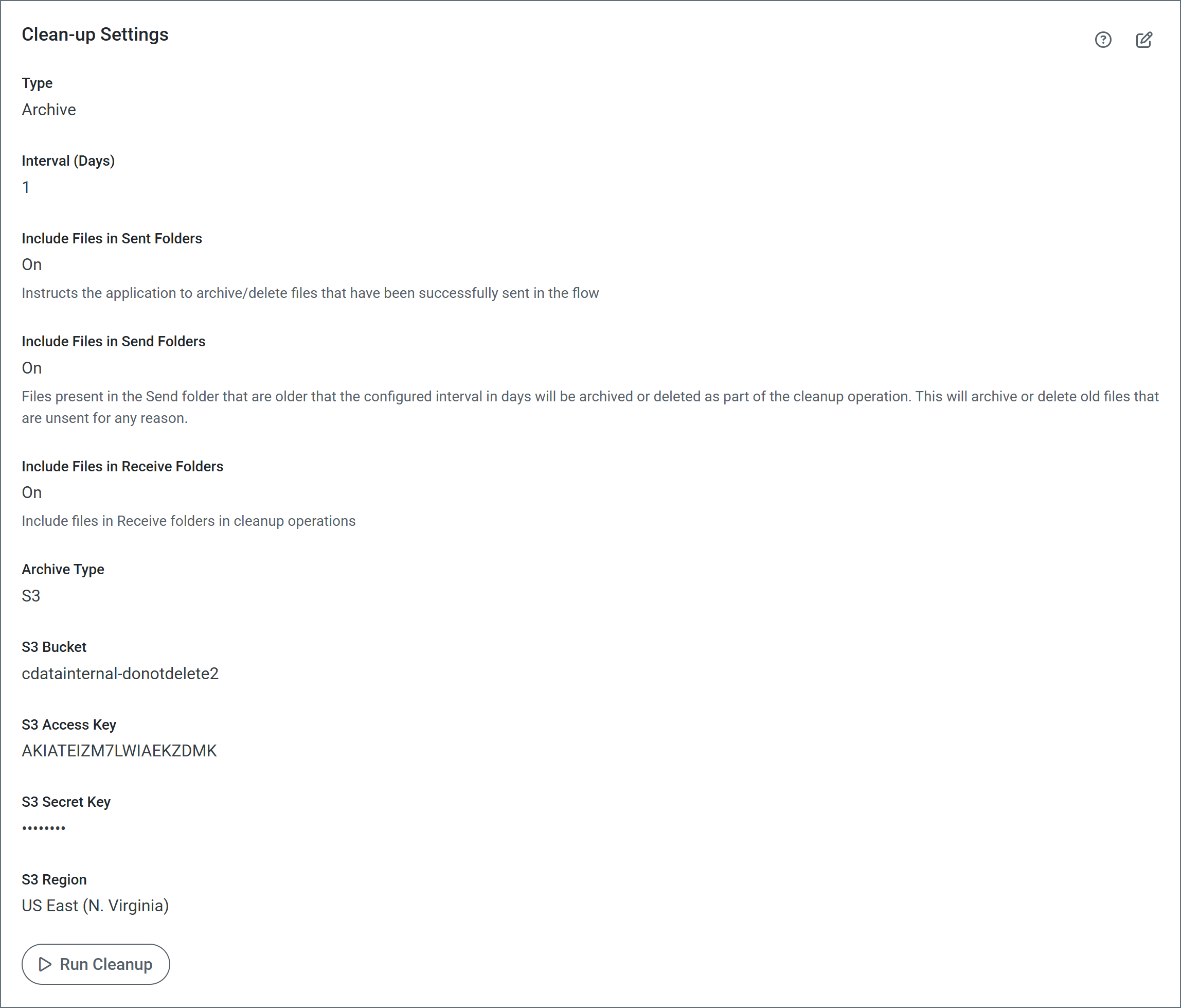
- Type Specify whether to archive or delete logs during cleanup.
- Interval Specify (in days) the cleanup threshold. For example, when set to 5 days, only logs and database entries over 5 days old are cleaned up.
- Include files in Sent folders Archive or delete files in the connector’s Logs/Sent folder that have been successfully sent in the flow. Sent files can consume large amounts of disk space. This option frees up disk space by cleaning up sent files when the cleanup runs.
- Include files in Send folders Archive or delete files that accumulate in the connector Send folders.
- Include files in Receive Folders Include files in Receive folders in cleanup operations.
- Archive Type Specify whether the archive should be sent to your local file disk or to an S3 bucket. Only applicable when Type is set to Archive.
- S3 Options If the Archive Type is S3, set the following S3-specific options: S3 Bucket, S3 Access Key, S3 Secret Key, and S3 Region.
Include files in Send folders
When a large number of files accumulate in connector Send folders, the performance of the application can suffer. These files can accumulate for various reasons, including:
- A connector exceeds the maximum number of retries for a message and no error path is configured for that connector.
- The Send folder for a connector was overridden in a legacy version of Arc and pointed at a shared folder that the application could not clean up. The ability to change the Send folder and apply Send Filters is deprecated in current versions of Arc. You should use error paths instead.
Note: If you enable this feature, ensure that your connectors process files in the Send folder on a shorter interval than the cleanup interval you specify on this page. Otherwise, the application might clean up the files in the Send folder before the connectors can process them.