JDBC (Generic)
Version 25.3.9396
Version 25.3.9396
JDBC (Generic)
You can use a generic, third-party JDBC connector in CData Sync to capture data from databases that provide a JDBC driver but are not officially supported by CData. To do so, you must upload the driver, configure the connector, and complete your connection setup. This connector supports only sources and is limited to standard jobs.
Add a Generic JDBC Connector
To enable Sync to use a third-party JDBC driver, you first must add the connector, as follows:
-
Open the Connections page of the Sync dashboard.
-
Click Add Connection to open the Select Connectors page.
-
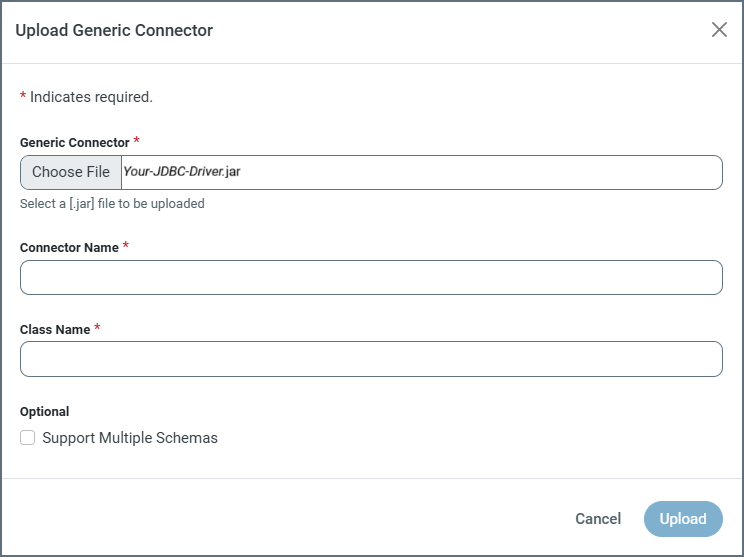
On the Sources tab, click the Upload Generic Connector button. This button opens the Upload Generic Connector dialog box.
-
Click Choose File and select a driver file from your local machine.
-
Specify the following properties:
-
Connector Name: Enter a name of your choosing for your connector.
-
Class Name: Enter the fully qualified Java class name of your JDBC driver (for example, org.postgresql.Driver, oracle.jdbc.OracleDriver, and so on).
-
(Optional) Support Multiple Schemas: Select this checkbox to specify that your generic driver supports multiple schemas.
-
-
Click Upload to install and register the driver in Sync.
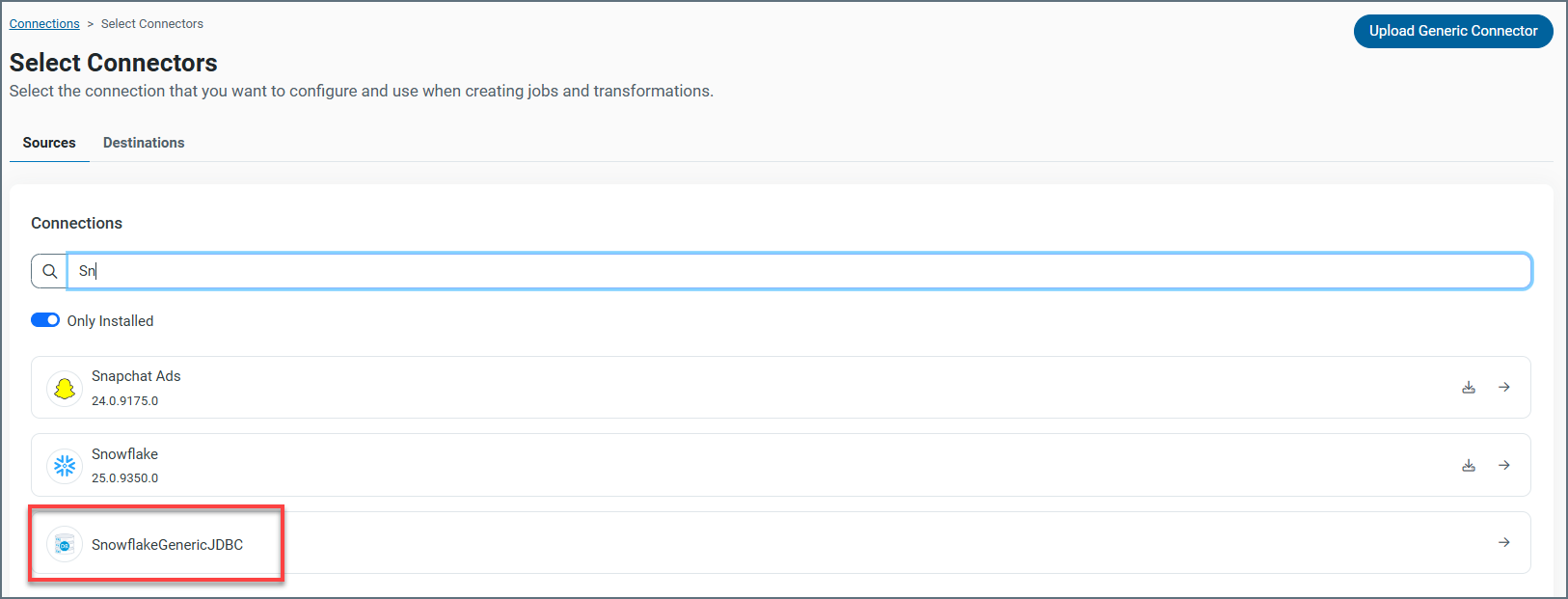
After you upload the driver, a generic JDBC connection appears in the Sources connector table, as shown in this example:
Authenticate Using Your JDBC Driver
After you add your driver, you need to set the required properties.
-
Connection Name: Enter a connection name of your choice.
-
Connection String: Enter the connection string that enables you to connect to your JDBC database.
Example:
jdbc:snowflake://<AccountName>.snowflakecomputing.com/?db=<Database>&schema=<Schema>&warehouse=<Warehouse>&user=<UserName>&password=<Password>
Complete Your Connection
To complete your connection, click Create & Test to save your the connection and establish a test connection to verify your settings.