接続
Version 26.2.9686
接続
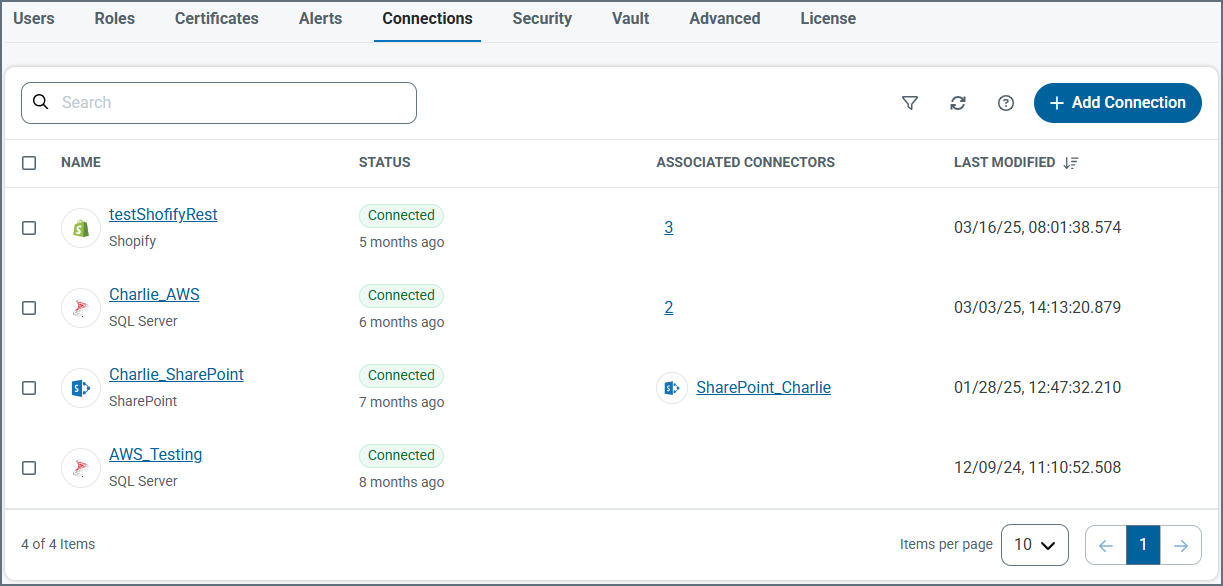
接続タブには、複数のCData Arc コネクタ間で共有できる構成済みの接続パラメータがリストされます。これにより、同じ認証情報を使って同じソースに接続する個々のコネクタ内での接続管理の一元化と設定の簡素化が可能になります。
Tip:It is useful to understand the difference between CData drivers and Arc connectors.The drivers provide the underlying connectivity to external systems, while connectors build on the drivers to handle data exchange, transformation, and routing within Arc.You configure the shared driver-level connection details on the Connections tab, which connectors then reference so the same connection can be reused consistently across multiple flows.
CData ドライバーのドキュメントは、弊社Web サイト https://jp.cdata.com/kb/help/ でご覧いただけます。ページ内のドライバー&データコネクターセクションで必要なドライバーを探し、ADO.NET またはJDBC エディションのオンラインドキュメントリンクをクリックしてください。CData ドライバーベースのコネクターの使用方法に関する情報を確認できます。
コネクションの追加
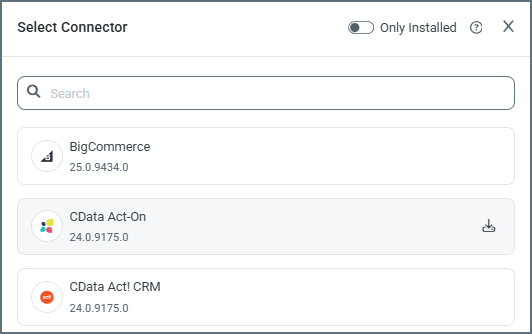
新しい共有接続を作成するには、接続を追加をクリックして接続先を選択します。Arc ships CData drivers for some connectors with the application, but not all.On the Select Connector pane, if there is a download button on the connector you need (the CData Act-On connector in the following image has one), use it to download and install the driver, which enables the connector for use.
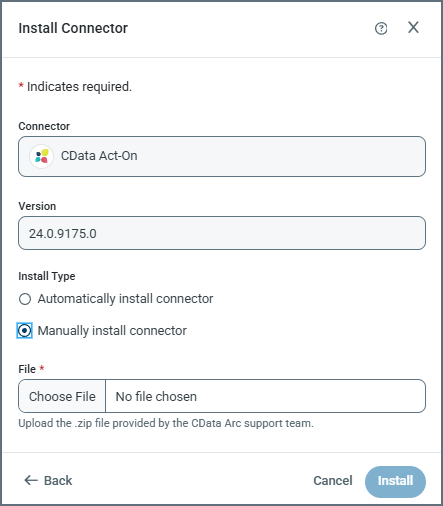
After you click the download button, the Install Connector pane opens and specifies the version number. At this point, it asks whether you want to install manually or automatically. Typically you want to install automatically. However, if CData Support has provided you with a .zip file, you can select manual, then use Choose File to supply the .zip file from them.
Notes:
- If you are installing to the .NET edition and encounter a permission error during driver installation, grant
writepermission towww\Web.Configandwww\binfor the Arc service account (Network Service by default). - If you are installing to the .NET edition, you are warned that the application must restart.
Once the installation is complete, or if you did not need to download and install the driver, you still need to provide the specific connection parameters.これらはターゲットによって異なり、OAuth リダイレクトが必要になる場合もあります。追加およびテストをクリックして接続を保存します。テストが失敗した場合でも、接続は保存されますが、引き続き編集してエラーを解決することが可能です。
共有接続が作成されると、共有接続をサポートするコネクタの接続ドロップダウンから選択できます。
バージョンを更新
Administrators can also use the Connections tab to update versions.You can update to a new version when one is available, or select a version that meets your needs.以下を行います:
- Clicking Add Connection
- Editing an already configured connection by clicking the link to the connection name
When you use the Add Connection option, click the download button.これにより、コネクタをアップデートペインが開きます。
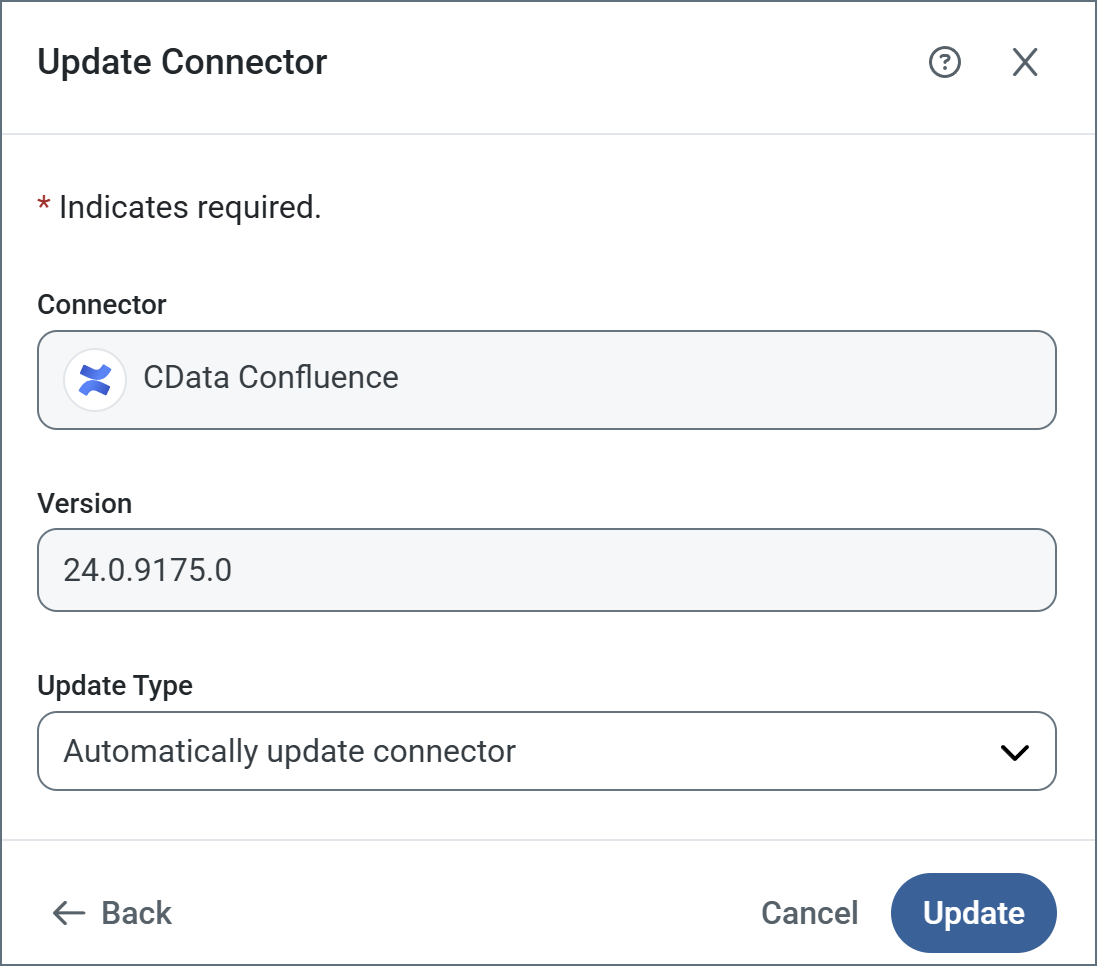
Choose the type of update you want from Update Type, then click Update.以下のオプションがあります:
- コネクタを自動アップデート
- コネクタを手動アップデート:If you use this option, use the File field to upload the
.zipfile to install. - Select from available versions (only appears if the currently installed version is not the latest, or if multiple versions are available): If you use this option, use the Update Version field to select the version to install.
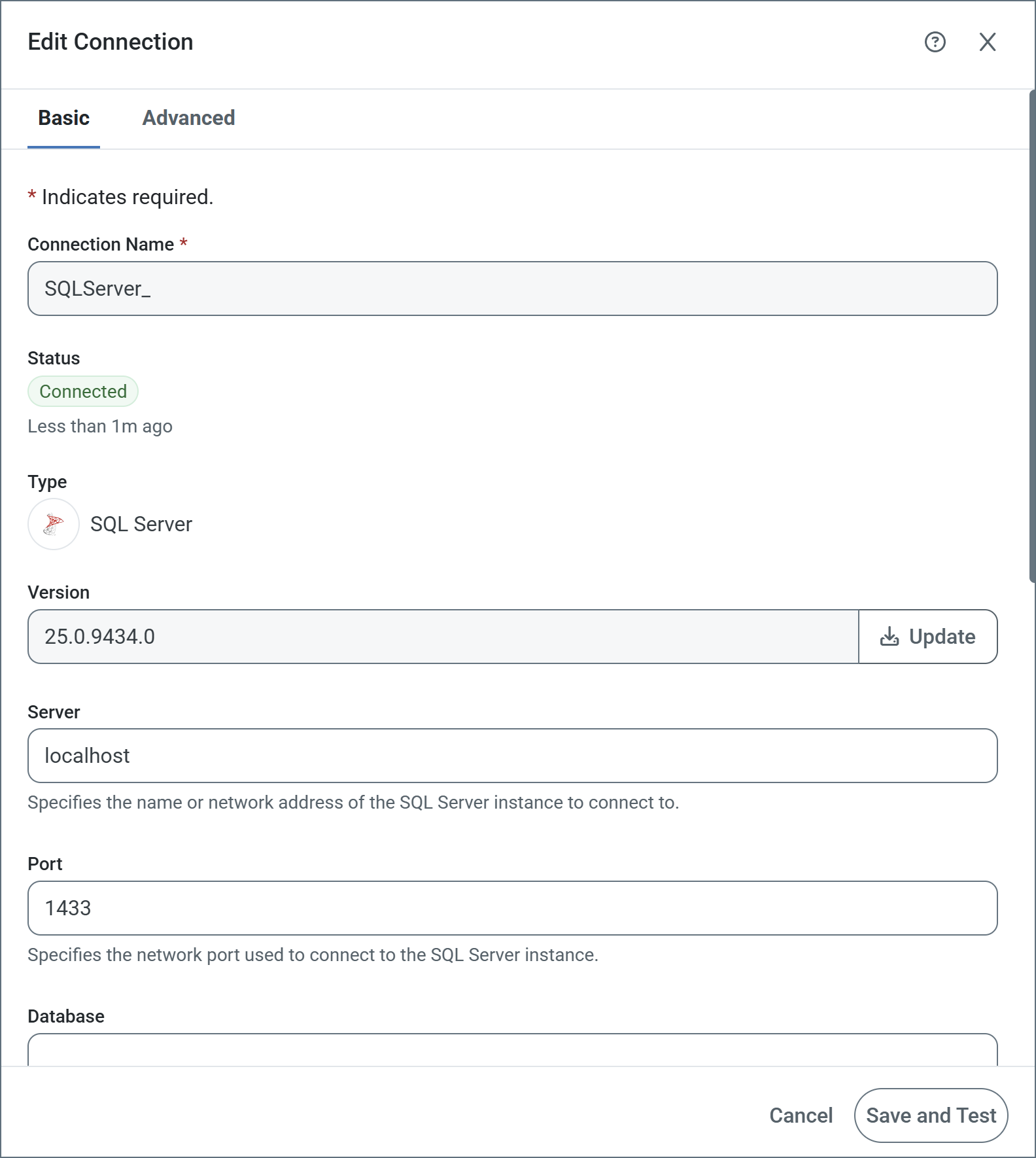
When you edit an existing connection, update the driver using the Update button. Once clicked, the Update Connector pane opens with the same set of update options described above.