Browsing data in IDEs
In this tutorial, you will use the Database Explorer in the Eclipse IDE, but a similar approach can be used with other Java IDEs.
After Establishing a Connection to the data source, the new connection will appear in the Database Explorer. You can expand it to see the metadata, which will include tables, views, and procedures.
Tables are similar to database tables and support two-way data communication. Views are similar to traditional database views and are read-only. Procedures are similar to database stored procedures; they allow you to access the functionality of the data source in ways that are not possible with tables or views.
You can analyze views and tables by expanding the column definitions for each entity. To query the data, right-click a table or view and click Edit Data.
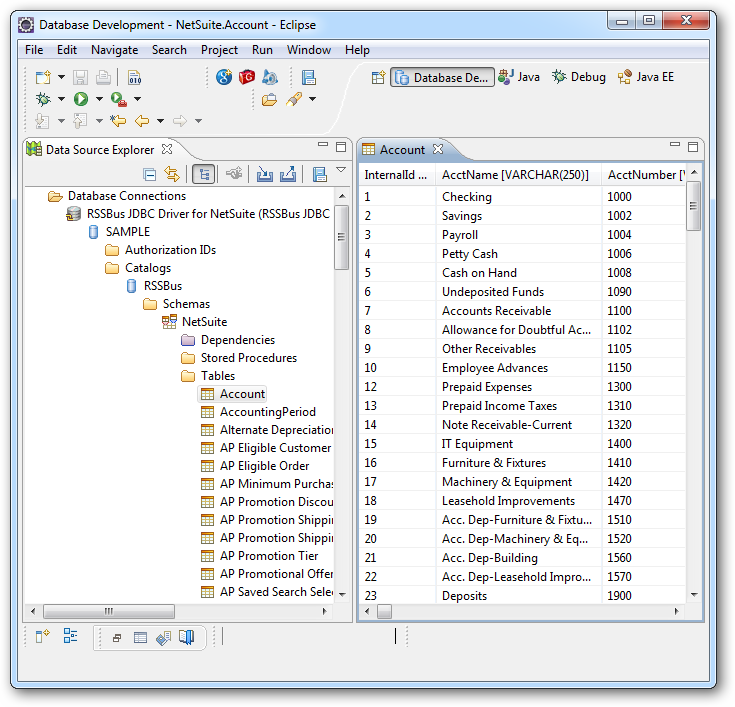
The grid containing the data also supports updates, insertions, and deletions.
To find out more about tables, views, and stored procedures, see the Data Model section.