Establishing a Connection
Connecting to a data source from Server Explorer is straightforward: Right-click the Data Connections node and click Add Connection. In the Choose Data Source window, select the RSSBus ADO.NET Provider for NetSuite.
A wizard appears, listing all the data providers currently installed on the machine. Select RSSBus ADO.NET Provider for NetSuite and click OK.
You can then set the connection properties in the configuration window for the data source, shown below.
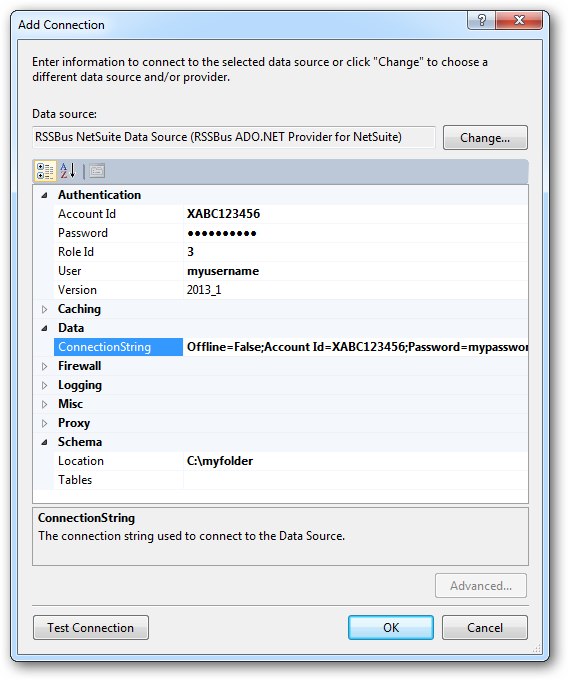
The User and Password properties, under the Authentication section, must be set to valid NetSuite user credentials. In addition, the AccountId must be set to the Id of a company account that can be used by the specified User. The RoleId can be optionally specified to log in the user, with limited permissions.