Creating a Custom OAuth App
Before you connect to SAPSuccessFactorsLMS, you must obtain a set of credentials related to your account's OAuth application.
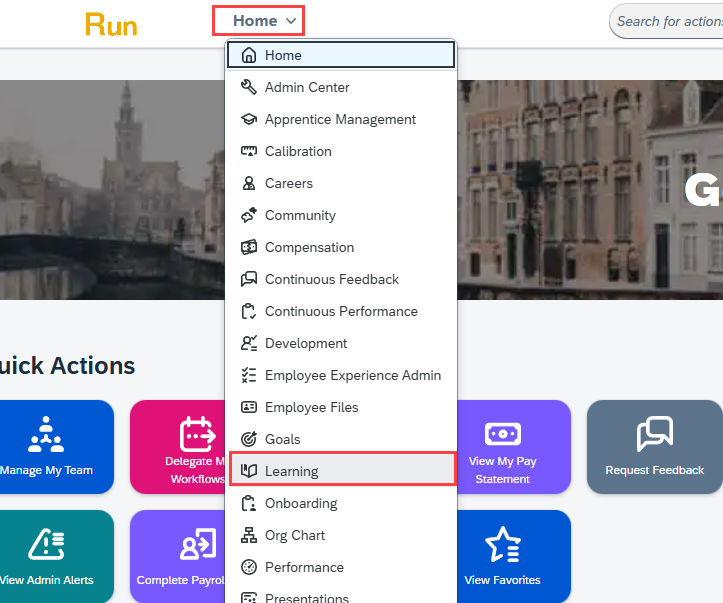
- Log in to SAP Successfactors. Open the page selection menu at the top of the page, to the left of the search bar (this should say "Home" if you logged into the homepage). Click Learning.
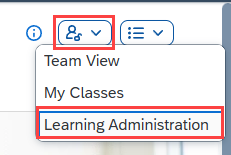
- On the Learning page, open the Dashboards menu and click Learning Administration.
- On the Learning Administration page, click System Administration > Application Administration > OAuth Token Server.
- Note the value of the Company ID and the Client ID.
- Click Generate a new Client Secret.
- Note the value in the Newly Generated Client Secret field. This value is only displayed once, immediately after a new client secret is generated.